OpenAPI architecture for scalable API documentation system
I have built a interactive web tool that visualizes and explores modular OpenAPI specifications.
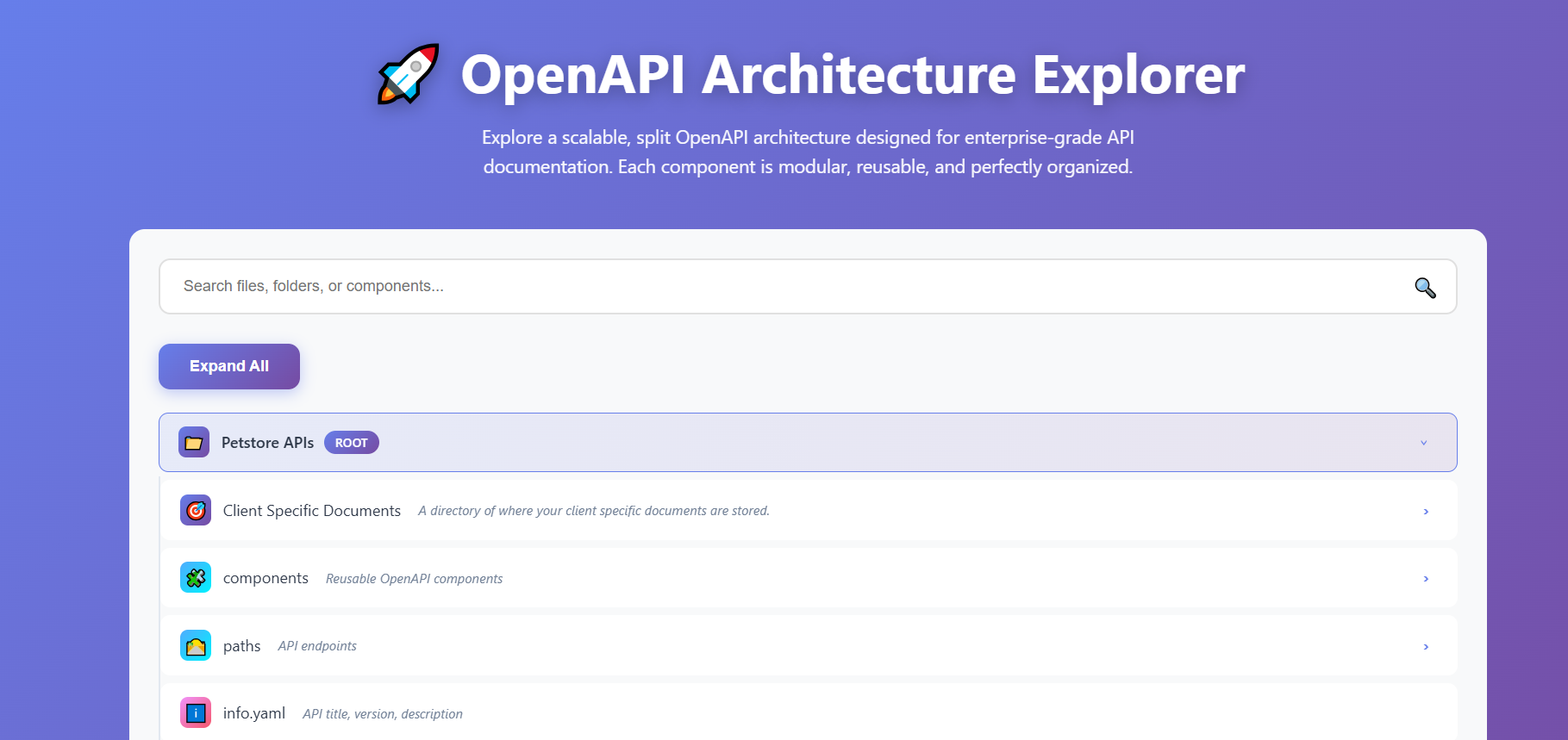
What I built:
- Interactive tree viewer for navigating complex OpenAPI structures.
- Content Preview with syntax highlighting.
- Visual representation of modular architecture patterns.
Why it matters
Traditional monolthic OpenAPI files becomes hard to maintain as API grows. Based on client requirements, you may have to customize your API endpoints. This explorer demonstrates how you can split specs into reusable components, making them:
- Modular - each component is self-contained and reusable.
- Scalable - easy to add new endpoints without structural issues.
- Enterprise ready - Organized structure suitable for large API projects.
- Maintenable - Multiple teams can work on different files independently.
Key features
- Split architecture visualization(schemas, paramters, examples, paths).
- Components relationship via $ref references.
- Best practices for organizing large specifications.
Root Level: Petstore APIs.
I have used Petstore API for demonstration purpose but this could be extended to any API specs, the structure remains the same.
Location: Root of the architecture
Icon: 📁
Badge: Root
Purpose: The top-level container that holds the entire API specification structure. This represents your complete API documentation project.
The “Petstore APIs” root acts as the parent directory for all components, paths, and configuration files. It serves as the organizational foundation for your entire OpenAPI specification ecosystem.
You should run the command from the directory containing the master OpenAPI file you want to convert into modular specifications.
## run from the directory with your master file.
redocly split OpenAPI.yaml --output /Petstore APIs
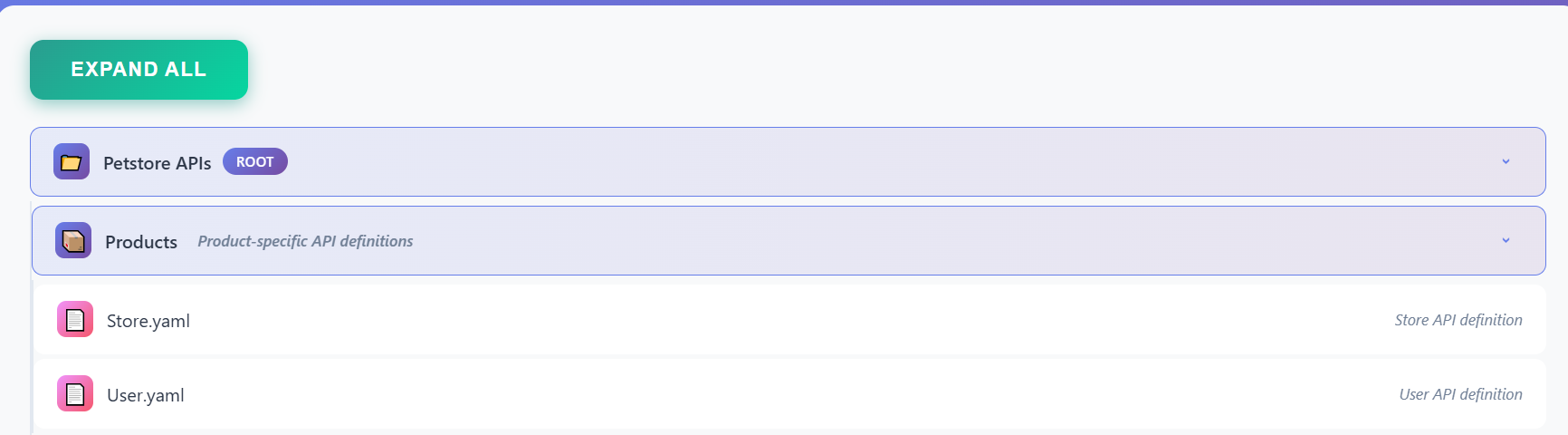
Products
Location: Petstore APIs > Products
Icon: 🎯
Purpose: The Products is where client-specific customizations are organized. This is where you create .yaml files with only paths(endpoints) that are relevant to the client.
dist
Location: Petstore APIs > dist
Icon: 📄
Description: The custom generated API documentation based on your client requirements.
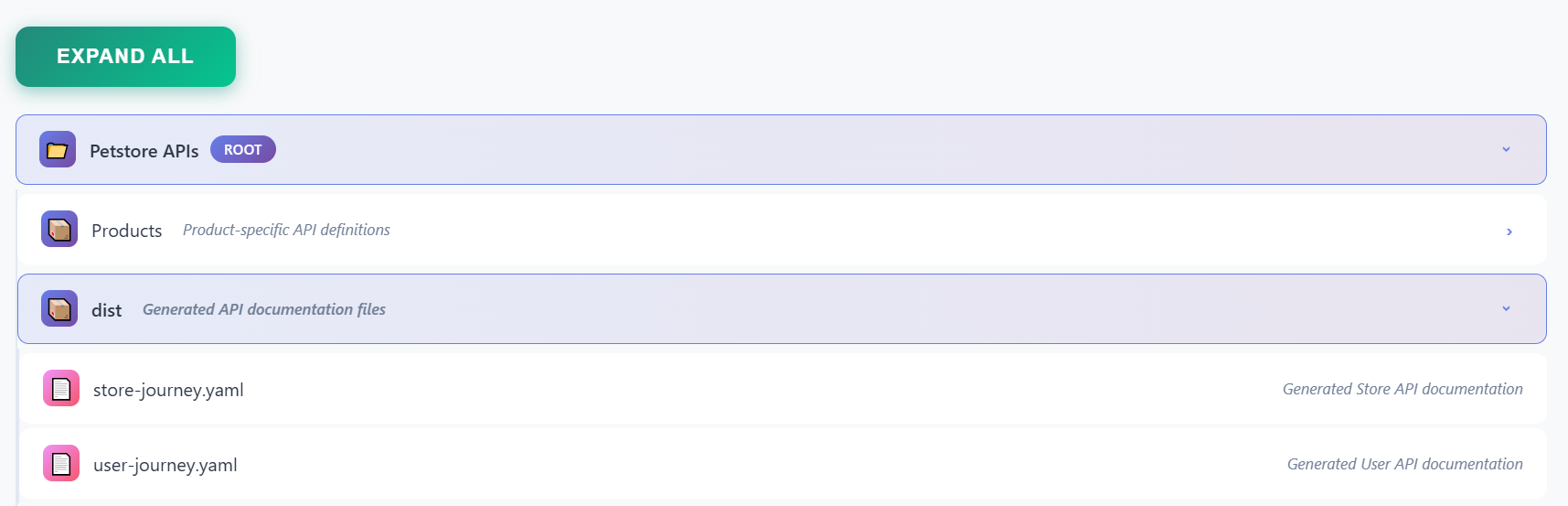
The command to create this file is as follows:
redocly bundle ./Products/Store.yaml --outDir ./dist/store-journey.yaml
Level 1: Components Directory
Location: Petstore APIs > components
Icon: 🧩
Description: Reusable OpenAPI components
Purpose: The components directory is the heart of modular OpenAPI architecture. It contains all reusable elements that can be referenced across multiple endpoints and products using $ref.
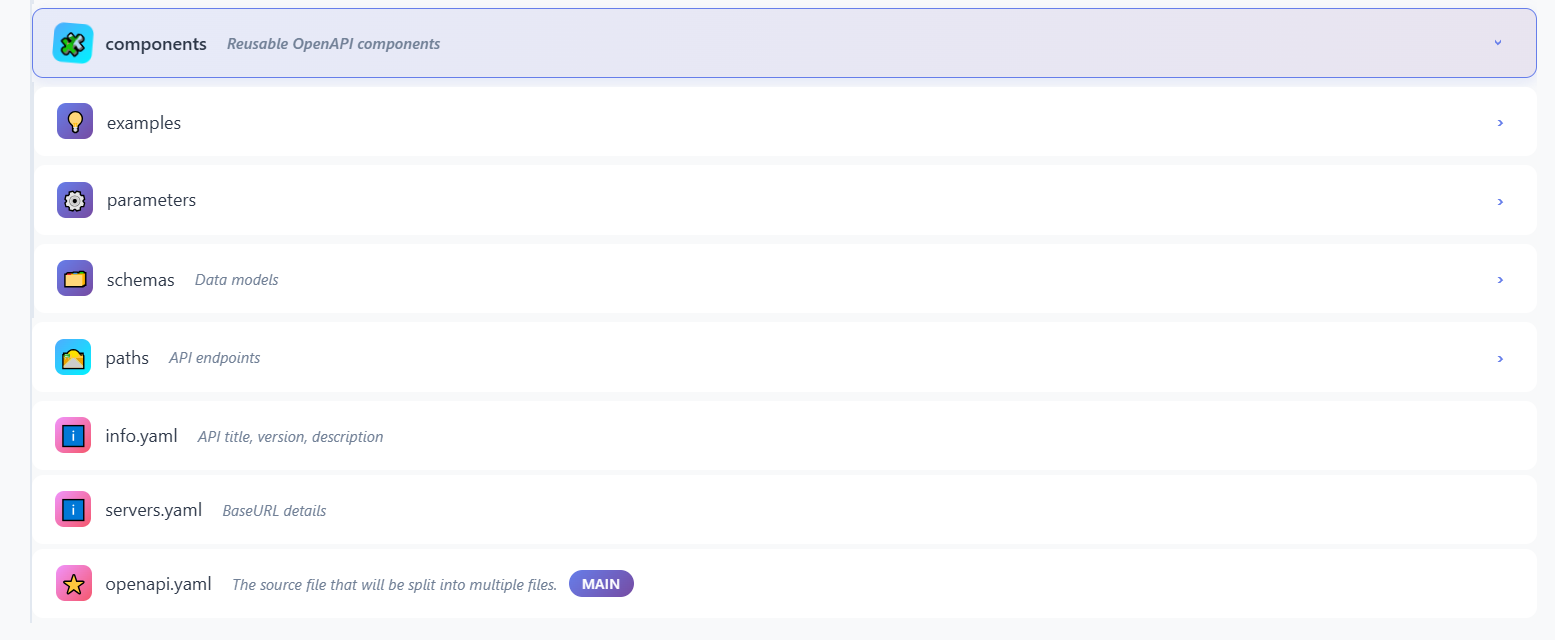
💡 Components > Examples
Location: Petstore APIs > components > examples
Icon: 💡
Purpose: Stores example request and response payloads that can be referenced throughout your API specification.
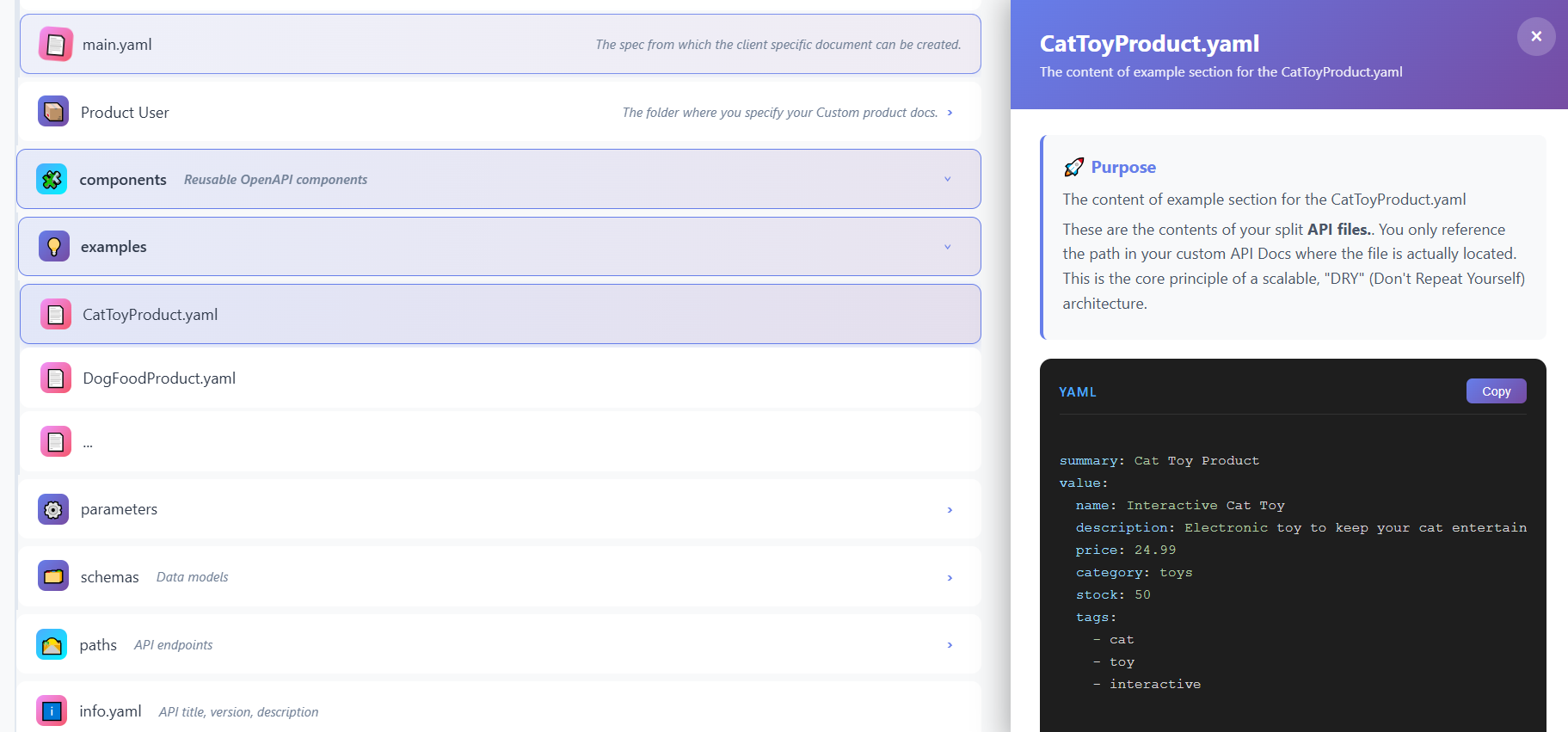
📄 CatToyProduct.yaml
Location: Petstore APIs > components > examples > CatToyProduct.yaml
Icon: 📄
Purpose: Example data for a cat toy product. The example file includes:
- Product structure and properties
- Expected data types and formats
- Real-world example values
⚙️ Components > Parameters
Location: Petstore APIs > components > parameters
Icon: ⚙️
Purpose: Stores reusable parameter definitions that can be shared across multiple API endpoints.
Why Centralized Parameters:
- Consistent parameter definitions across endpoints
- Easy updates (change once, updates everywhere)
- Reduces duplication and errors
- Enables standardization
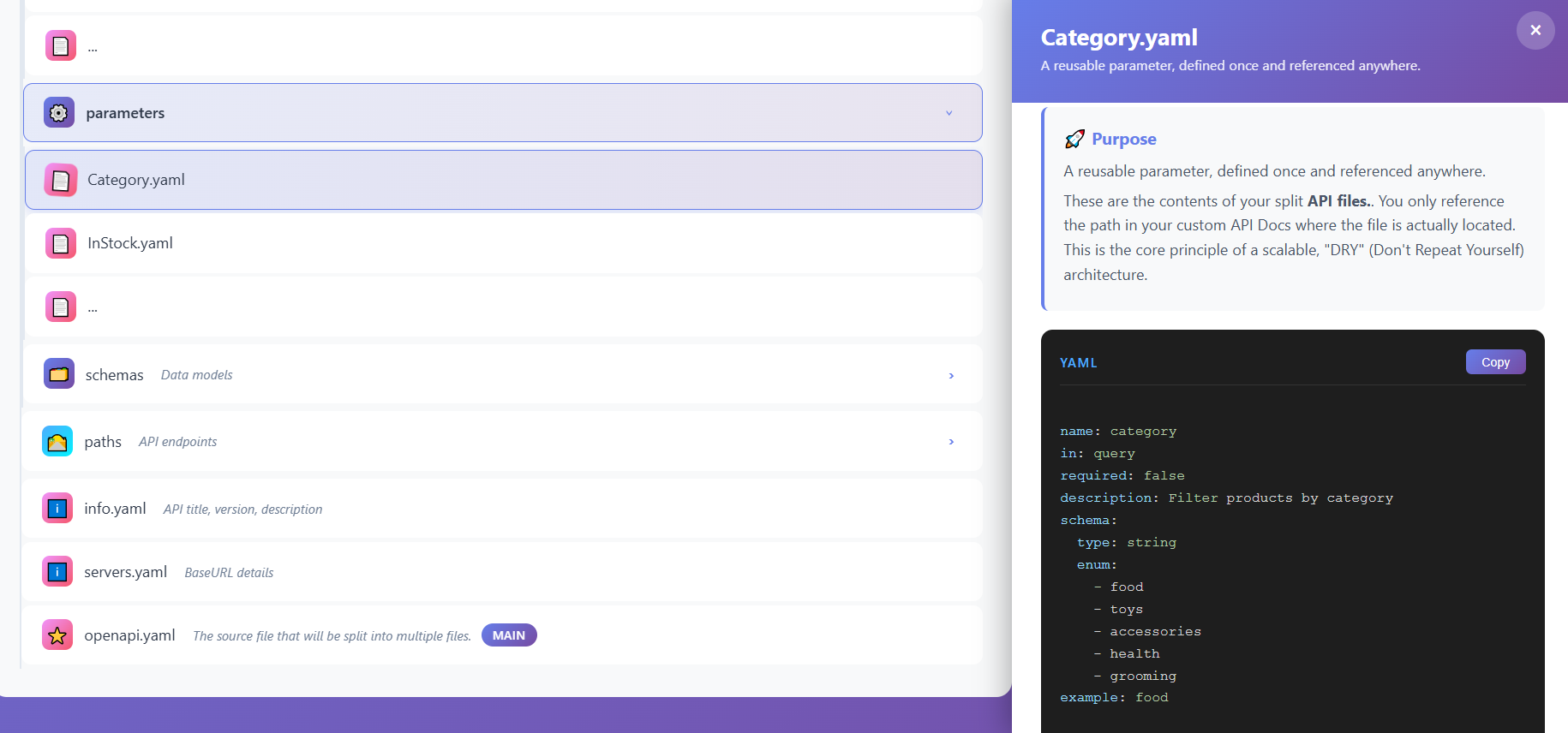
📄 InStock.yaml
Location: Petstore APIs > components > parameters > InStock.yaml
Icon: 📄
Purpose: Defines a parameter for filtering products by stock availability.
🗂️ Components > Schemas
Location: Petstore APIs > components > schemas
Icon: 🗂️
Description: Data models
Purpose: Contains reusable data model definitions (schemas) that define the structure of request and response bodies.
Why Centralized Schemas:
- Single source of truth for data structures
- Ensures type consistency across the API
- Makes updates easier and safer
- Enables schema validation and code generation
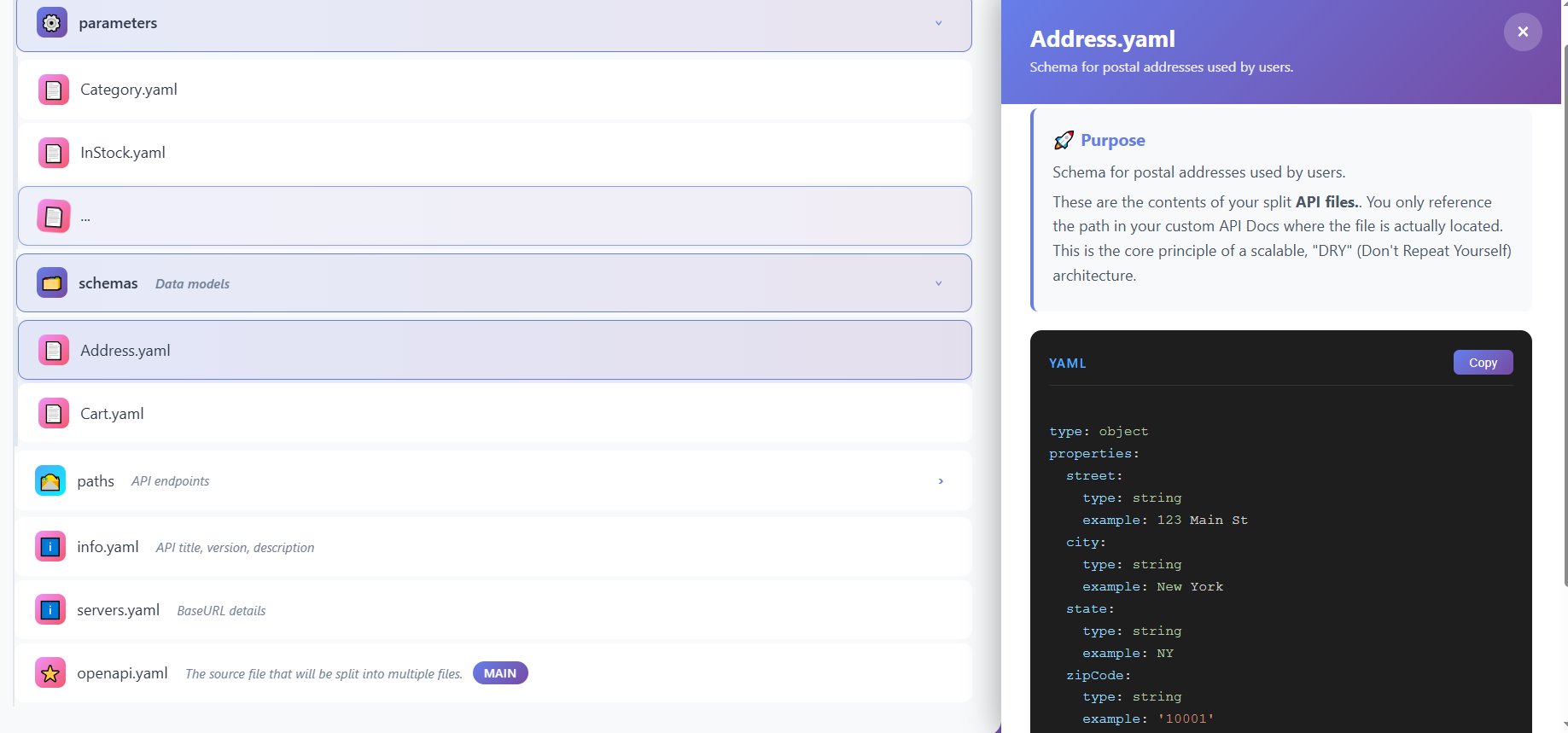
📄 Address.yaml
Location: Petstore APIs > components > schemas > Address.yaml
Icon: 📄
Purpose: Defines the actual schema.
🛣️ Level 1: Paths Directory
Location: Petstore APIs > paths
Icon: 🛣️
Description: API endpoints
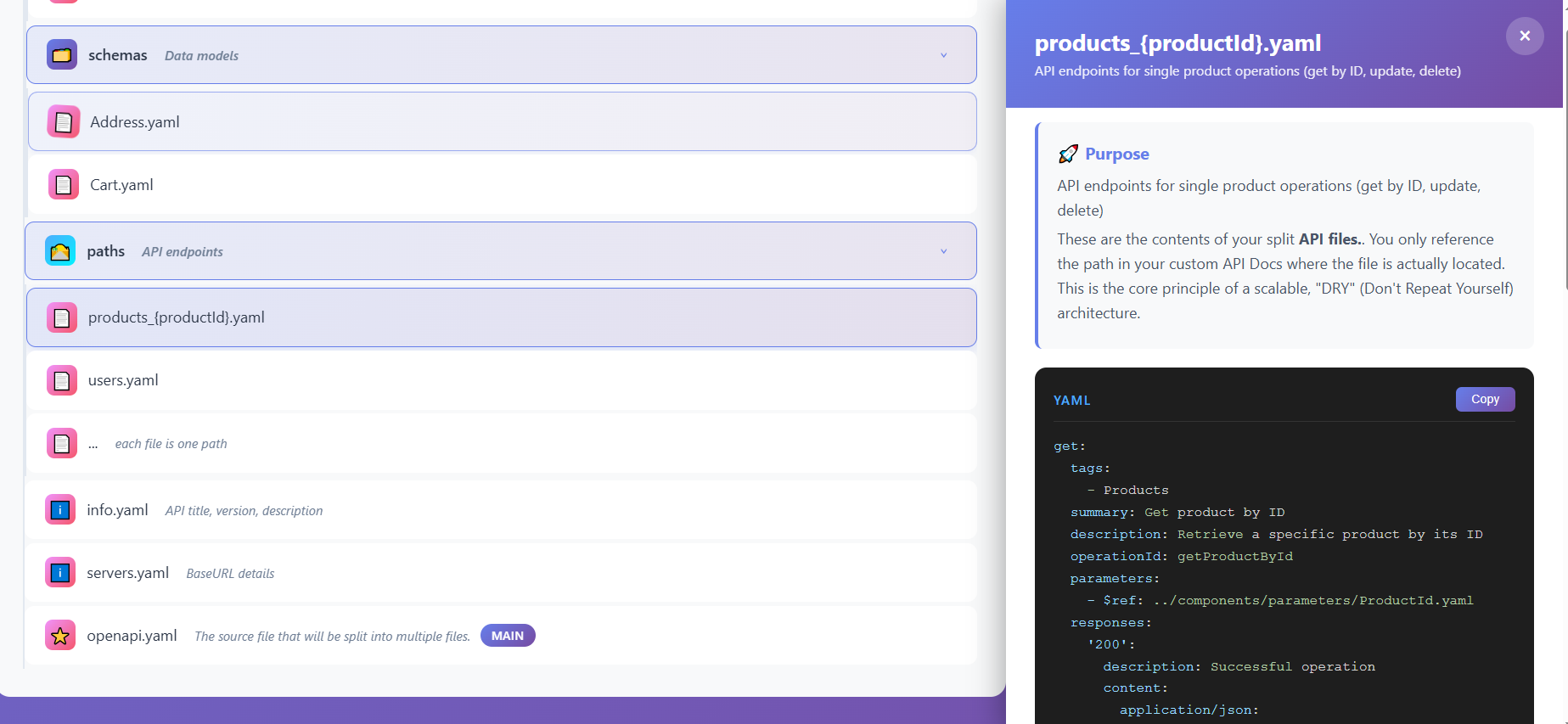
Purpose: The paths directory contains all API endpoint definitions. Each file typically represents one endpoint or a group of related endpoints.
📄 products_{productId}.yaml
Location: Petstore APIs > paths > products_{productId}.yaml
Icon: 📄
ℹ️ common
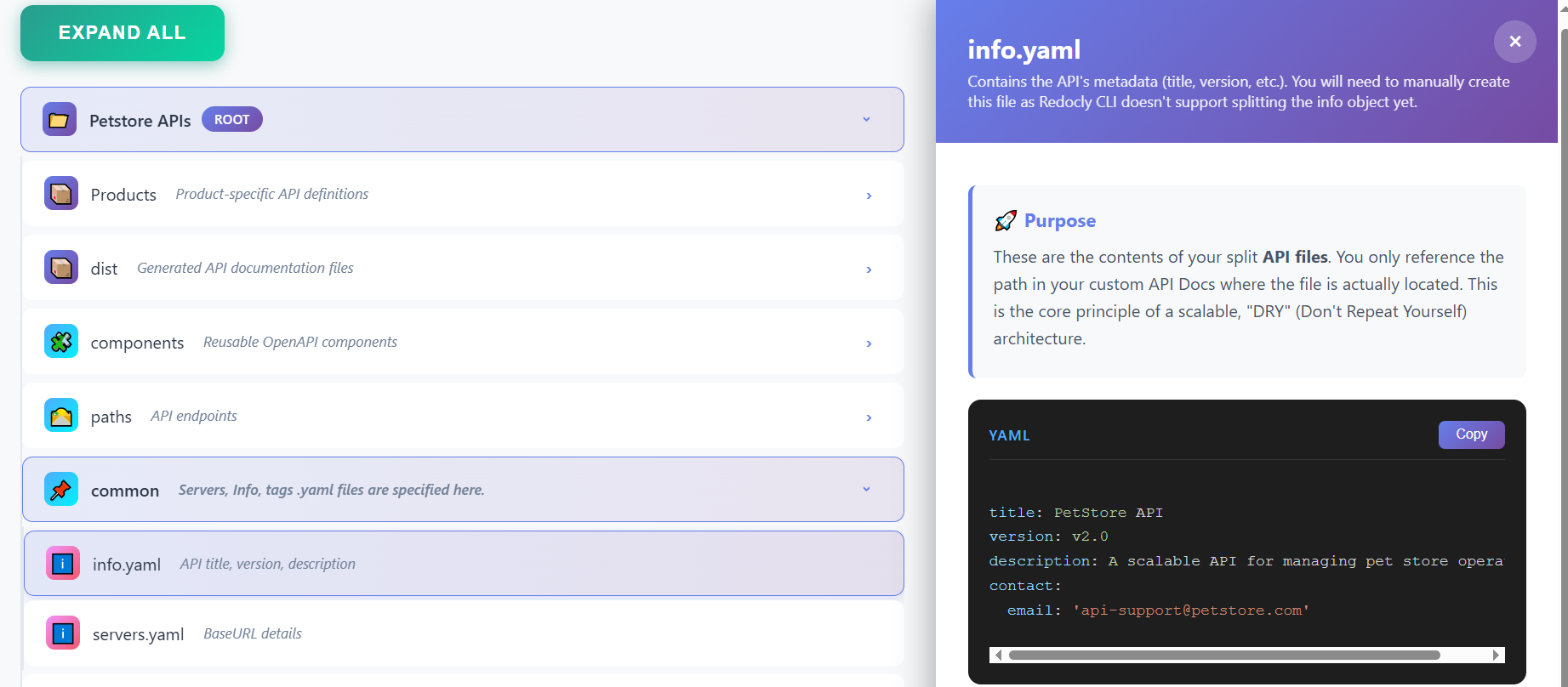
These files reside at the root level of the API specification and define essential metadata and configuration. These files are to be created manually as Redocly CLI doesn’t generate them.
ℹ️ info.yaml
Location: Petstore APIs > common > info.yaml
Icon: ℹ️
Description: API title, version, description
Purpose: Contains essential API metadata that identifies and describes your API specification.
This file includes:
- Title: The name of your API
- Version: API specification version (e.g., “1.0.0”, “2.1.3”)
- Description: High-level description of what the API does
- Contact Information: Email, name, URL for API support
- License: API licensing information
- Terms of Service: Link to terms of service
Use Case: Referenced by the main openapi.yaml file to provide API-level information that appears in generated documentation and API portals.
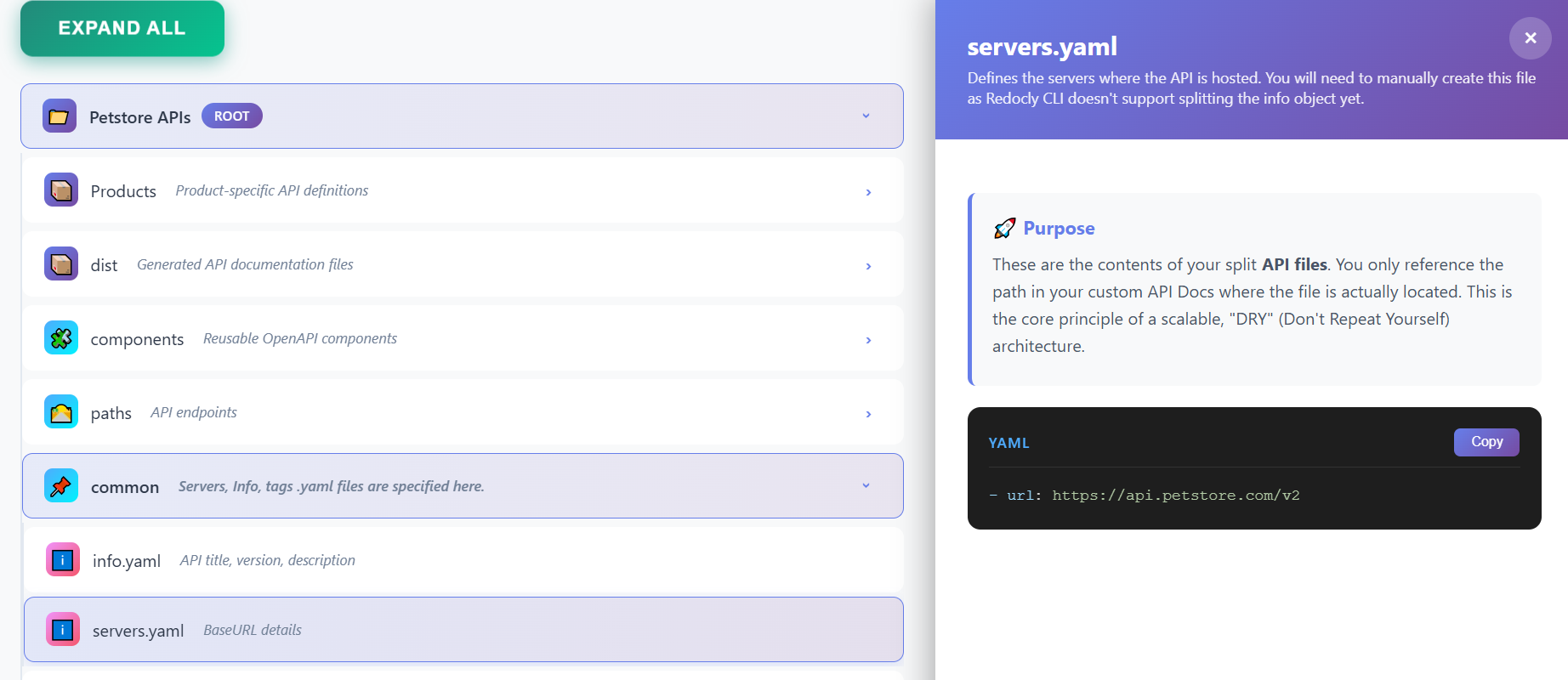
ℹ️ servers.yaml
Location: Petstore APIs > common > servers.yaml
Icon: ℹ️
Description: BaseURL details
Purpose: Defines the server environments and base URLs where the API is available. This file typically includes:
- Production Server:
https://api.example.com/v1 - Staging Server:
https://staging-api.example.com/v1 - Development Server:
https://dev-api.example.com/v1
Use Case: Referenced by the main openapi.yaml file to specify where the API is hosted. This information is used by API clients, testing tools, and documentation generators to know which server to connect to.
⭐ openapi.yaml
Location: Petstore APIs > openapi.yaml
Icon: ⭐
Badge: Main
Description: The source file that will be split into multiple files.
Purpose: This is the source file that Redocly CLI splits into multiple files and folders. This would act as your entry point.
openapi: 3.0.3
info:
title: PetStore API
description: A comprehensive API for managing pet store operations including products and users
version: 1.0.0
contact:
name: API Support
email: support@petstore.com
servers:
- url: https://api.petstore.com/v1
description: Production server
- url: https://staging-api.petstore.com/v1
description: Staging server
paths:
/products:
get:
tags:
- Products
summary: Get all products
description: Retrieve a list of all products with optional filtering and pagination
operationId: getProducts
parameters:
- $ref: '#/components/parameters/Page'
- $ref: '#/components/parameters/Limit'
- $ref: '#/components/parameters/Category'
- $ref: '#/components/parameters/InStock'
responses:
'200':
description: Successful operation
content:
application/json:
schema:
type: object
properties:
products:
type: array
items:
$ref: '#/components/schemas/Product'
total:
type: integer
example: 150
page:
type: integer
example: 1
limit:
type: integer
example: 10
'500':
$ref: '#/components/responses/InternalServerError'
post:
tags:
- Products
summary: Create a new product
description: Add a new product to the store
operationId: createProduct
requestBody:
required: true
content:
application/json:
schema:
$ref: '#/components/schemas/ProductInput'
examples:
dogFood:
$ref: '#/components/examples/DogFoodProduct'
catToy:
$ref: '#/components/examples/CatToyProduct'
responses:
'201':
description: Product created successfully
content:
application/json:
schema:
$ref: '#/components/schemas/Product'
'400':
$ref: '#/components/responses/BadRequest'
'500':
$ref: '#/components/responses/InternalServerError'
/products/{productId}:
get:
tags:
- Products
summary: Get product by ID
description: Retrieve a specific product by its ID
operationId: getProductById
parameters:
- $ref: '#/components/parameters/ProductId'
responses:
'200':
description: Successful operation
content:
application/json:
schema:
$ref: '#/components/schemas/Product'
'404':
$ref: '#/components/responses/NotFound'
'500':
$ref: '#/components/responses/InternalServerError'
put:
tags:
- Products
summary: Update product
description: Update an existing product
operationId: updateProduct
parameters:
- $ref: '#/components/parameters/ProductId'
requestBody:
required: true
content:
application/json:
schema:
$ref: '#/components/schemas/ProductInput'
examples:
updatedDogFood:
$ref: '#/components/examples/UpdatedDogFood'
responses:
'200':
description: Product updated successfully
content:
application/json:
schema:
$ref: '#/components/schemas/Product'
'400':
$ref: '#/components/responses/BadRequest'
'404':
$ref: '#/components/responses/NotFound'
'500':
$ref: '#/components/responses/InternalServerError'
delete:
tags:
- Products
summary: Delete product
description: Remove a product from the store
operationId: deleteProduct
parameters:
- $ref: '#/components/parameters/ProductId'
responses:
'204':
description: Product deleted successfully
'404':
$ref: '#/components/responses/NotFound'
'500':
$ref: '#/components/responses/InternalServerError'
/users:
post:
tags:
- Users
summary: Create a new user
description: Register a new user in the system
operationId: createUser
requestBody:
required: true
content:
application/json:
schema:
$ref: '#/components/schemas/UserInput'
examples:
johnDoe:
$ref: '#/components/examples/JohnDoeUser'
janeSmith:
$ref: '#/components/examples/JaneSmithUser'
responses:
'201':
description: User created successfully
content:
application/json:
schema:
$ref: '#/components/schemas/User'
'400':
$ref: '#/components/responses/BadRequest'
'500':
$ref: '#/components/responses/InternalServerError'
/users/{userId}:
get:
tags:
- Users
summary: Get user by ID
description: Retrieve a specific user by their ID
operationId: getUserById
parameters:
- $ref: '#/components/parameters/UserId'
responses:
'200':
description: Successful operation
content:
application/json:
schema:
$ref: '#/components/schemas/User'
'404':
$ref: '#/components/responses/NotFound'
'500':
$ref: '#/components/responses/InternalServerError'
put:
tags:
- Users
summary: Update user
description: Update an existing user's information
operationId: updateUser
parameters:
- $ref: '#/components/parameters/UserId'
requestBody:
required: true
content:
application/json:
schema:
$ref: '#/components/schemas/UserInput'
examples:
updatedJohnDoe:
$ref: '#/components/examples/UpdatedJohnDoe'
responses:
'200':
description: User updated successfully
content:
application/json:
schema:
$ref: '#/components/schemas/User'
'400':
$ref: '#/components/responses/BadRequest'
'404':
$ref: '#/components/responses/NotFound'
'500':
$ref: '#/components/responses/InternalServerError'
delete:
tags:
- Users
summary: Delete user
description: Remove a user from the system
operationId: deleteUser
parameters:
- $ref: '#/components/parameters/UserId'
responses:
'204':
description: User deleted successfully
'404':
$ref: '#/components/responses/NotFound'
'500':
$ref: '#/components/responses/InternalServerError'
/users/{userId}/cart:
get:
tags:
- Users
summary: Get user cart
description: Retrieve the shopping cart for a specific user
operationId: getUserCart
parameters:
- $ref: '#/components/parameters/UserId'
responses:
'200':
description: Successful operation
content:
application/json:
schema:
$ref: '#/components/schemas/Cart'
examples:
userCart:
$ref: '#/components/examples/UserCart'
'404':
$ref: '#/components/responses/NotFound'
'500':
$ref: '#/components/responses/InternalServerError'
components:
schemas:
Product:
type: object
required:
- id
- name
- price
- category
- stock
properties:
id:
type: string
format: uuid
example: "550e8400-e29b-41d4-a716-446655440000"
name:
type: string
example: "Premium Dog Food"
description:
type: string
example: "High-quality dog food with natural ingredients"
price:
type: number
format: float
minimum: 0
example: 45.99
category:
type: string
enum: [food, toys, accessories, health, grooming]
example: food
stock:
type: integer
minimum: 0
example: 100
tags:
type: array
items:
type: string
example: ["dog", "food", "premium"]
createdAt:
type: string
format: date-time
example: "2023-01-15T10:30:00Z"
updatedAt:
type: string
format: date-time
example: "2023-01-15T10:30:00Z"
ProductInput:
type: object
required:
- name
- price
- category
- stock
properties:
name:
type: string
example: "Premium Dog Food"
description:
type: string
example: "High-quality dog food with natural ingredients"
price:
type: number
format: float
minimum: 0
example: 45.99
category:
type: string
enum: [food, toys, accessories, health, grooming]
example: food
stock:
type: integer
minimum: 0
example: 100
tags:
type: array
items:
type: string
example: ["dog", "food", "premium"]
User:
type: object
required:
- id
- username
- email
- firstName
- lastName
properties:
id:
type: string
format: uuid
example: "550e8400-e29b-41d4-a716-446655440001"
username:
type: string
example: "johndoe"
email:
type: string
format: email
example: "john.doe@example.com"
firstName:
type: string
example: "John"
lastName:
type: string
example: "Doe"
phone:
type: string
example: "+1234567890"
address:
$ref: '#/components/schemas/Address'
createdAt:
type: string
format: date-time
example: "2023-01-15T10:30:00Z"
updatedAt:
type: string
format: date-time
example: "2023-01-15T10:30:00Z"
UserInput:
type: object
required:
- username
- email
- firstName
- lastName
properties:
username:
type: string
example: "johndoe"
email:
type: string
format: email
example: "john.doe@example.com"
firstName:
type: string
example: "John"
lastName:
type: string
example: "Doe"
phone:
type: string
example: "+1234567890"
address:
$ref: '#/components/schemas/Address'
Address:
type: object
properties:
street:
type: string
example: "123 Main St"
city:
type: string
example: "New York"
state:
type: string
example: "NY"
zipCode:
type: string
example: "10001"
country:
type: string
example: "USA"
Cart:
type: object
properties:
userId:
type: string
format: uuid
example: "550e8400-e29b-41d4-a716-446655440001"
items:
type: array
items:
type: object
properties:
productId:
type: string
format: uuid
example: "550e8400-e29b-41d4-a716-446655440000"
productName:
type: string
example: "Premium Dog Food"
quantity:
type: integer
minimum: 1
example: 2
price:
type: number
format: float
example: 45.99
total:
type: number
format: float
example: 91.98
updatedAt:
type: string
format: date-time
example: "2023-01-15T10:30:00Z"
parameters:
ProductId:
name: productId
in: path
required: true
description: Unique identifier of the product
schema:
type: string
format: uuid
example: "550e8400-e29b-41d4-a716-446655440000"
UserId:
name: userId
in: path
required: true
description: Unique identifier of the user
schema:
type: string
format: uuid
example: "550e8400-e29b-41d4-a716-446655440001"
Page:
name: page
in: query
required: false
description: Page number for pagination
schema:
type: integer
minimum: 1
default: 1
example: 1
Limit:
name: limit
in: query
required: false
description: Number of items per page
schema:
type: integer
minimum: 1
maximum: 100
default: 10
example: 10
Category:
name: category
in: query
required: false
description: Filter products by category
schema:
type: string
enum: [food, toys, accessories, health, grooming]
example: food
InStock:
name: inStock
in: query
required: false
description: Filter products that are in stock
schema:
type: boolean
example: true
examples:
DogFoodProduct:
summary: Dog Food Product
value:
name: "Premium Dog Food"
description: "High-quality dog food with natural ingredients"
price: 45.99
category: "food"
stock: 100
tags: ["dog", "food", "premium"]
CatToyProduct:
summary: Cat Toy Product
value:
name: "Interactive Cat Toy"
description: "Electronic toy to keep your cat entertained"
price: 24.99
category: "toys"
stock: 50
tags: ["cat", "toy", "interactive"]
UpdatedDogFood:
summary: Updated Dog Food Product
value:
name: "Premium Dog Food - Updated Formula"
description: "Improved high-quality dog food with added vitamins"
price: 49.99
category: "food"
stock: 150
tags: ["dog", "food", "premium", "vitamins"]
JohnDoeUser:
summary: John Doe User
value:
username: "johndoe"
email: "john.doe@example.com"
firstName: "John"
lastName: "Doe"
phone: "+1234567890"
address:
street: "123 Main St"
city: "New York"
state: "NY"
zipCode: "10001"
country: "USA"
JaneSmithUser:
summary: Jane Smith User
value:
username: "janesmith"
email: "jane.smith@example.com"
firstName: "Jane"
lastName: "Smith"
phone: "+0987654321"
address:
street: "456 Oak Ave"
city: "Los Angeles"
state: "CA"
zipCode: "90210"
country: "USA"
UpdatedJohnDoe:
summary: Updated John Doe User
value:
username: "johndoe"
email: "john.doe.updated@example.com"
firstName: "John"
lastName: "Doe"
phone: "+1234567890"
address:
street: "789 Updated St"
city: "Boston"
state: "MA"
zipCode: "02101"
country: "USA"
UserCart:
summary: User Shopping Cart
value:
userId: "550e8400-e29b-41d4-a716-446655440001"
items:
- productId: "550e8400-e29b-41d4-a716-446655440000"
productName: "Premium Dog Food"
quantity: 2
price: 45.99
- productId: "550e8400-e29b-41d4-a716-446655440002"
productName: "Interactive Cat Toy"
quantity: 1
price: 24.99
total: 116.97
updatedAt: "2023-01-15T10:30:00Z"
responses:
NotFound:
description: The requested resource was not found
content:
application/json:
schema:
type: object
properties:
error:
type: string
example: "Resource not found"
message:
type: string
example: "The requested product does not exist"
code:
type: integer
example: 404
BadRequest:
description: Bad request - invalid input
content:
application/json:
schema:
type: object
properties:
error:
type: string
example: "Bad Request"
message:
type: string
example: "Invalid input data"
code:
type: integer
example: 400
details:
type: array
items:
type: object
properties:
field:
type: string
example: "price"
message:
type: string
example: "Price must be a positive number"
InternalServerError:
description: Internal server error
content:
application/json:
schema:
type: object
properties:
error:
type: string
example: "Internal Server Error"
message:
type: string
example: "An unexpected error occurred"
code:
type: integer
example: 500
securitySchemes:
BearerAuth:
type: http
scheme: bearer
bearerFormat: JWT
security:
- BearerAuth: []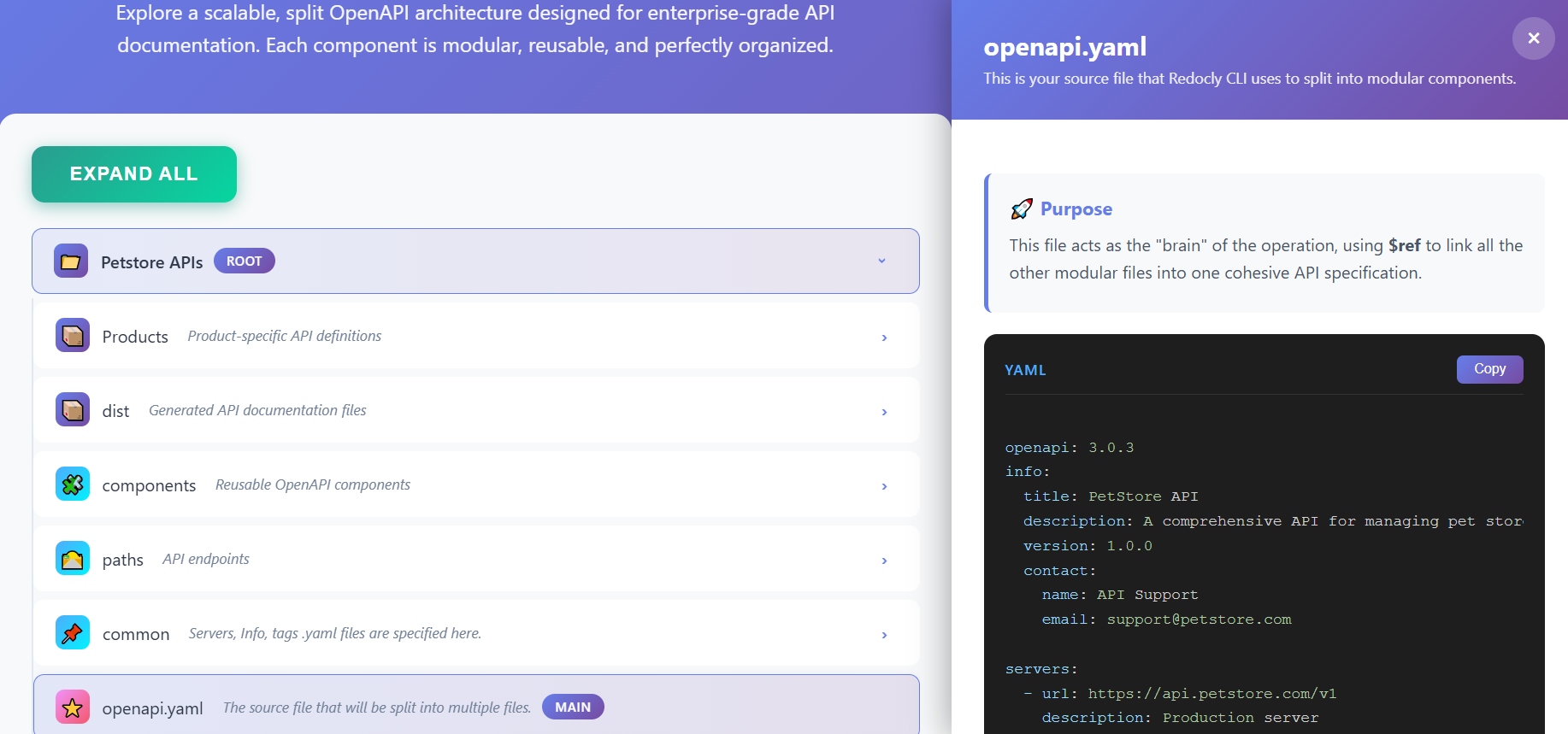
🎯 Architecture Benefits Summary
This modular architecture provides several key advantages:
- Modularity: Each component is self-contained and reusable
- Maintainability: Update components independently without affecting others
- Scalability: Add new products, endpoints, or components easily
- Collaboration: Multiple developers can work on different parts simultaneously
- Reusability: Share schemas, parameters, and examples across endpoints
- Organization: Clear structure makes navigation and understanding easier
- Flexibility: Support multiple products and client customizations
- Standards Compliance: Follows OpenAPI 3.0 best practices
📚 How to Use This Architecture
- Start with
openapi.yaml: This is your entry point - Define metadata: Set up
info.yamlandservers.yaml - Create reusable components: Build schemas, parameters, and examples, paths in the
componentsdirectory using Redocly CLI’s split command. - Customize for products: Use the
distdirectory to create product-specific variations. - Generate documentation: Use tools that read
openapi.yamlto generate docs, test APIs, and create SDKs.
This architecture scales from small APIs to enterprise systems with hundreds of endpoints, multiple products, and various client requirements.